
The right CV template will not get you a job on its own, but the wrong one can stop your experience from being read. In South Africa, recruiters and job portals favour clean, A4, easy to scan CVs over decorative ones. This page explains what makes a CV design work, then introduces the eight professional designs CVLift offers and who each one suits.
What makes a good CV template in South Africa
A CV template is simply a layout: where your name sits, how sections are ordered, which fonts and colours are used and how much space surrounds the text. A good one does three things well.
1. It is readable by people
Recruiters often scan a CV quickly before deciding whether to read it properly. A strong template guides the eye: your name and contact details at the top, a clear summary, then work experience with job titles, employers and dates that stand out. Body text should be 10 to 12 point, with enough white space that sections do not blur together.
2. It is readable by software
Many employers and job portals in South Africa, including PNet, CareerJunction and LinkedIn, use applicant tracking systems (ATS) to store and search applications. These systems read your CV as text. Templates that put words inside images, use complex multi column tables, or tuck contact details into page headers can confuse them, and your details may be read incorrectly or missed. Our ATS friendly CV guide covers this in depth.
3. It suits South African conventions
- A4 paper size, not US Letter. A Letter sized document can print with odd margins or cut off text.
- No photo by default. Most South African employers do not expect one, so a good template does not reserve space for it.
- Room for registrations and licences. Professional bodies such as SANC, SACE, SAICA or ECSA, and a driver's licence code, are often requirements here, so a template needs a natural place for them.
- Sensible length. One to two pages for most people. See how long a CV should be.
The eight CVLift designs
Every CVLift design is a print quality A4 PDF with real, selectable text and standard section headings. They differ in tone and structure, so you can match your CV to your industry and career stage. Here is the full set.
-
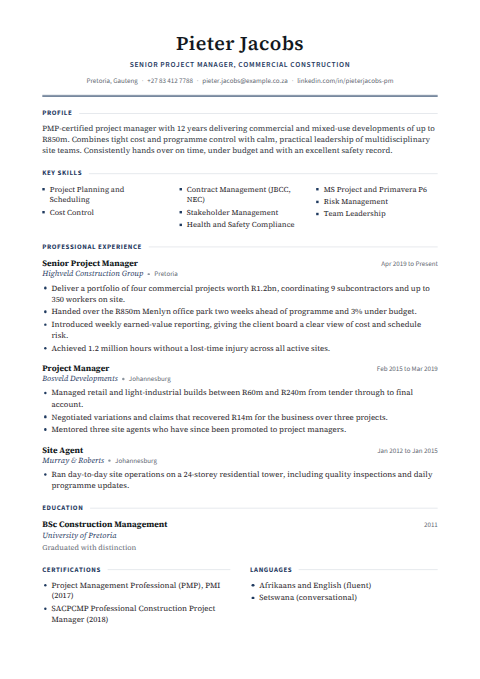
Classic
Timeless single column layout with clean section rules.
Best for any industry, any level
-
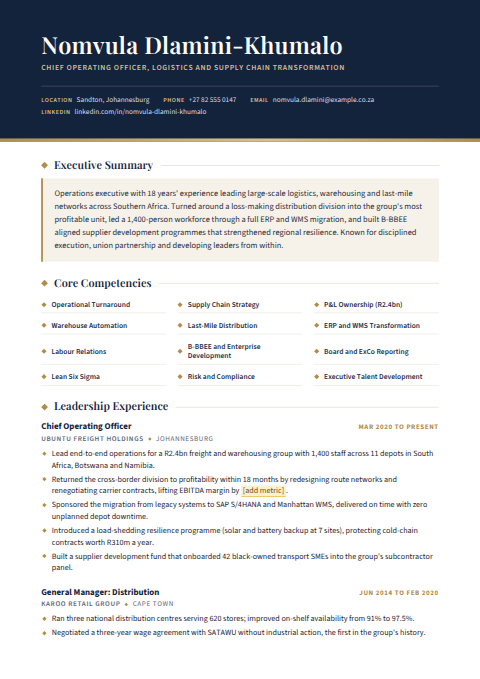
Executive
Executive tierBold name band, highlighted summary and core competencies.
Best for senior managers and directors
-
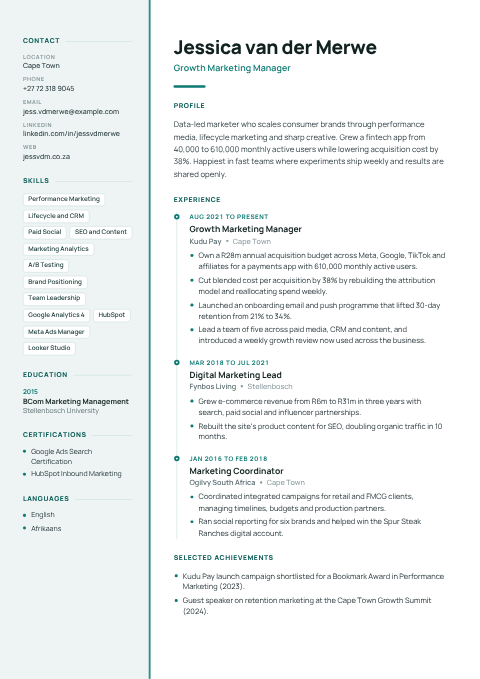
Modern
Contemporary layout with a tinted sidebar for skills and contact details.
Best for marketing, tech and growing careers
-
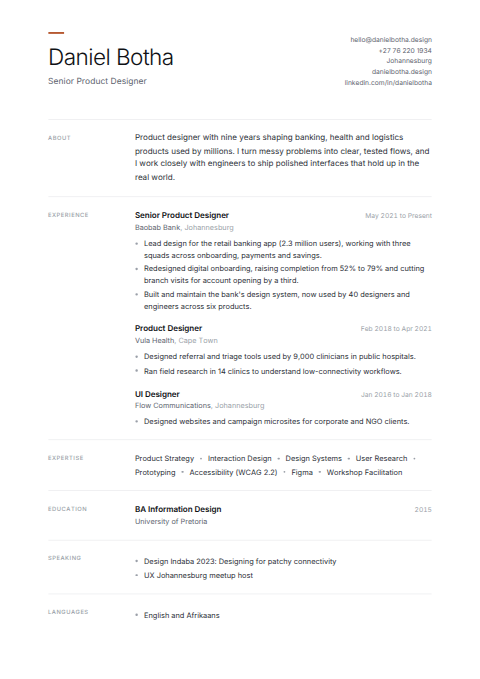
Minimal
Generous whitespace and quiet typography that lets your experience speak.
Best for design, consulting and creative roles
-
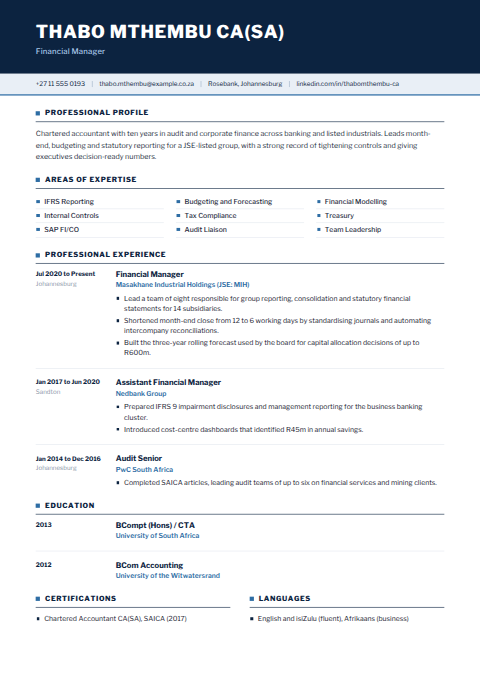
Corporate
Structured and formal with a confident navy header.
Best for finance, banking and law
-
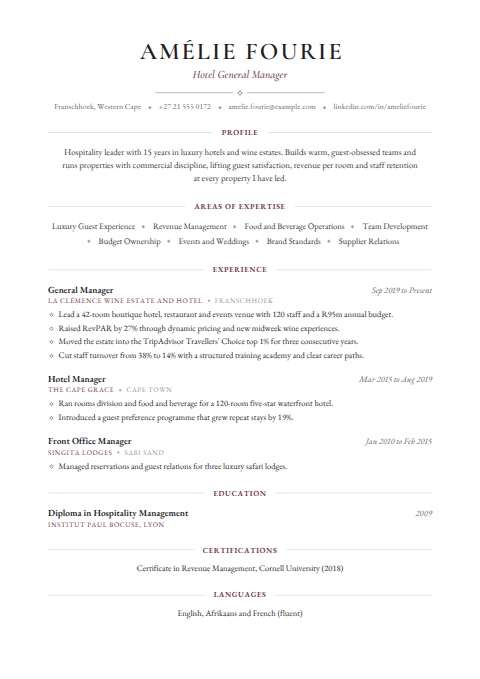
Elegant
Refined serif typography with a classic, polished feel.
Best for hospitality, education and the public sector
-
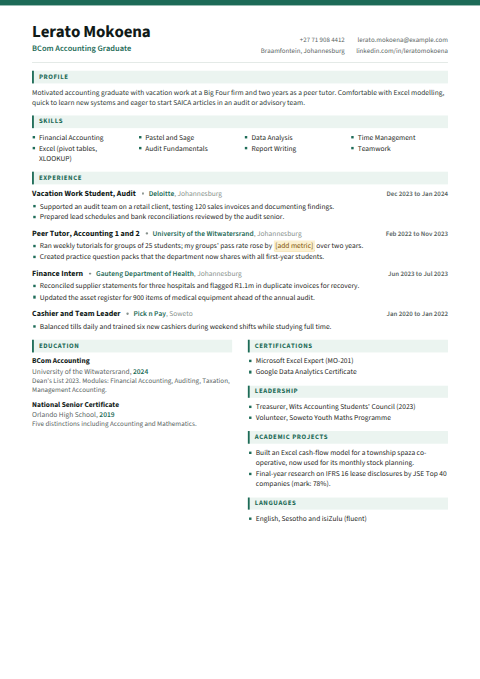
Compact
Tight, efficient layout designed to fit more onto one page.
Best for graduates and early careers
-
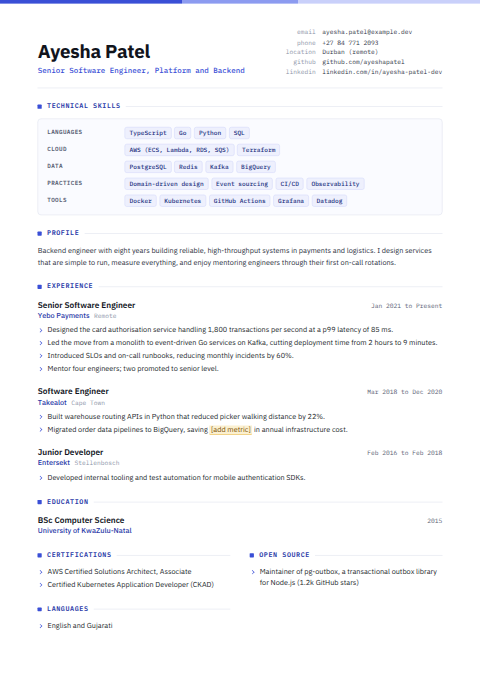
Technical
Skills first layout with clear grouping of tools and technologies.
Best for engineering, IT and data roles
Professional and Executive upgrades let you choose your design, and the Executive design is reserved for the Executive tier. Basic upgrades keep your own layout for Word files, and PDF uploads are set in the Classic design. See the designs up close
Classic
A timeless single column layout with clean section rules. Classic is the safest choice for almost any role and any level, from entry level positions to experienced specialists. It is also the design used for Basic upgrades when you upload a PDF or text file. If you are unsure which design to pick, start here.
Suits: any industry, any level; government and parastatal applications; roles where a conservative look is expected.
Modern
A contemporary layout with a tinted sidebar for your skills and contact details, leaving the main column for your experience. Modern feels current without being flashy, and the sidebar makes your key skills easy to spot at a glance.
Suits: marketing, communications, technology, sales and anyone building a growing career who wants a fresh but professional look.
Minimal
Generous white space and quiet typography that lets your experience speak for itself. Minimal strips away decoration, which suits people whose work and track record are the main story.
Suits: design, consulting and creative roles, and anyone who prefers an understated, confident presentation.
Corporate
Structured and formal, with a confident navy header. Corporate signals reliability and attention to detail, which matters in sectors where presentation is judged closely.
Suits: finance, banking, accounting, insurance, law and large corporate environments.
Elegant
Refined serif typography with a classic, polished feel. Elegant has a slightly traditional, considered character that reads well on screen and in print.
Suits: hospitality, education and the public sector, and roles where warmth and professionalism both matter. Teachers often like it; our teacher CV guide has more ideas.
Compact
A tight, efficient layout designed to fit more onto one page. Compact is useful when you have a fair amount to say but want to keep to a single page, which is often the right length early in a career.
Suits: graduates, interns, learnership applicants and early career job seekers. See our graduate CV guide.
Technical
A skills first layout with clear grouping of tools and technologies. Technical puts your programming languages, platforms, systems and certifications up front, because in technical hiring those often decide whether you make the shortlist.
Suits: software development, IT support, networking, engineering and data roles. Our IT CV guide explains how to group your skills.
Executive (Executive tier)
A bold name band, a highlighted executive summary and a core competencies block. The Executive design is built around the extra content the Executive upgrade adds: a tailored executive summary and impact focused achievements written for senior roles. For that reason it is reserved for the Executive tier.
Suits: senior managers, heads of department, directors and experienced professionals applying for leadership roles.
Quick guide: which design should you choose?
| If you are | Consider |
|---|---|
| Unsure, or applying across several industries | Classic |
| A school leaver, graduate or early career applicant | Compact or Classic |
| In finance, banking, law or insurance | Corporate |
| In IT, engineering or data | Technical |
| In marketing, sales or a fast growing field | Modern |
| In design, consulting or a creative field | Minimal |
| In teaching, hospitality or the public sector | Elegant or Classic |
| A senior manager or director | Executive (Executive tier) |
These are guidelines, not rules. A nurse might prefer Classic for its simplicity, while a financial analyst who codes might prefer Technical. The best design is the one that makes your strongest experience easiest to find.
Which designs come with which upgrade
CVLift has three once-off upgrades, and each handles design slightly differently:
- Basic, R49: polishes grammar, spelling and wording while keeping your voice. Upload a Word file (.docx) and your own layout is kept. PDF and text uploads are set in the Classic design.
- Professional, R99: fully rewrites your experience into strong, achievement led bullet points with ATS safe headings, and lets you choose from seven designs: Classic, Modern, Minimal, Corporate, Elegant, Compact and Technical.
- Executive, R149: adds a tailored executive summary, a core competencies block and impact focused achievements for senior roles, and includes all eight designs, including Executive.
On Professional and Executive you can switch between your included designs on your order page as often as you like, before and after paying, at no extra cost. See full details on our pricing section.
A template is only as good as what goes in it
A polished design cannot rescue vague content. Before choosing a look, make sure your CV says the right things:
- A short professional summary that names your role, experience and strengths.
- Bullet points that describe achievements, not just duties.
- Clear dates, job titles and employer names.
- Qualifications and professional registrations written out in full.
Here is the difference good wording makes, in any design:
| Before | After |
|---|---|
| Did the social media for the company. | Planned and published weekly content across Facebook and Instagram for a regional retailer, growing engagement through a consistent posting calendar. |
| Fixed computers and helped users. | Provided first line desktop support to around 60 staff, resolving hardware, Microsoft 365 and network issues and logging every call in the service desk system. |
For a full walk through of content, read how to write a CV in South Africa.
How CVLift works
CVLift is a professional CV improvement service. You upload your existing CV as a PDF, Word or text file, choose an upgrade and a design, and see a partial preview, with most of the page blurred and watermarked, before you pay anything. Your CV is improved using only the facts you provided: nothing is invented. On the Executive upgrade, where a figure would strengthen an achievement, a placeholder such as [add metric] is left for you to fill in. Pay by card or EFT through secure South African payment providers, download your PDF instantly, and know that your files are deleted after 7 days.